AI Studio
Generate images, videos, and short-form reels from text prompts — powered by AWS Bedrock.
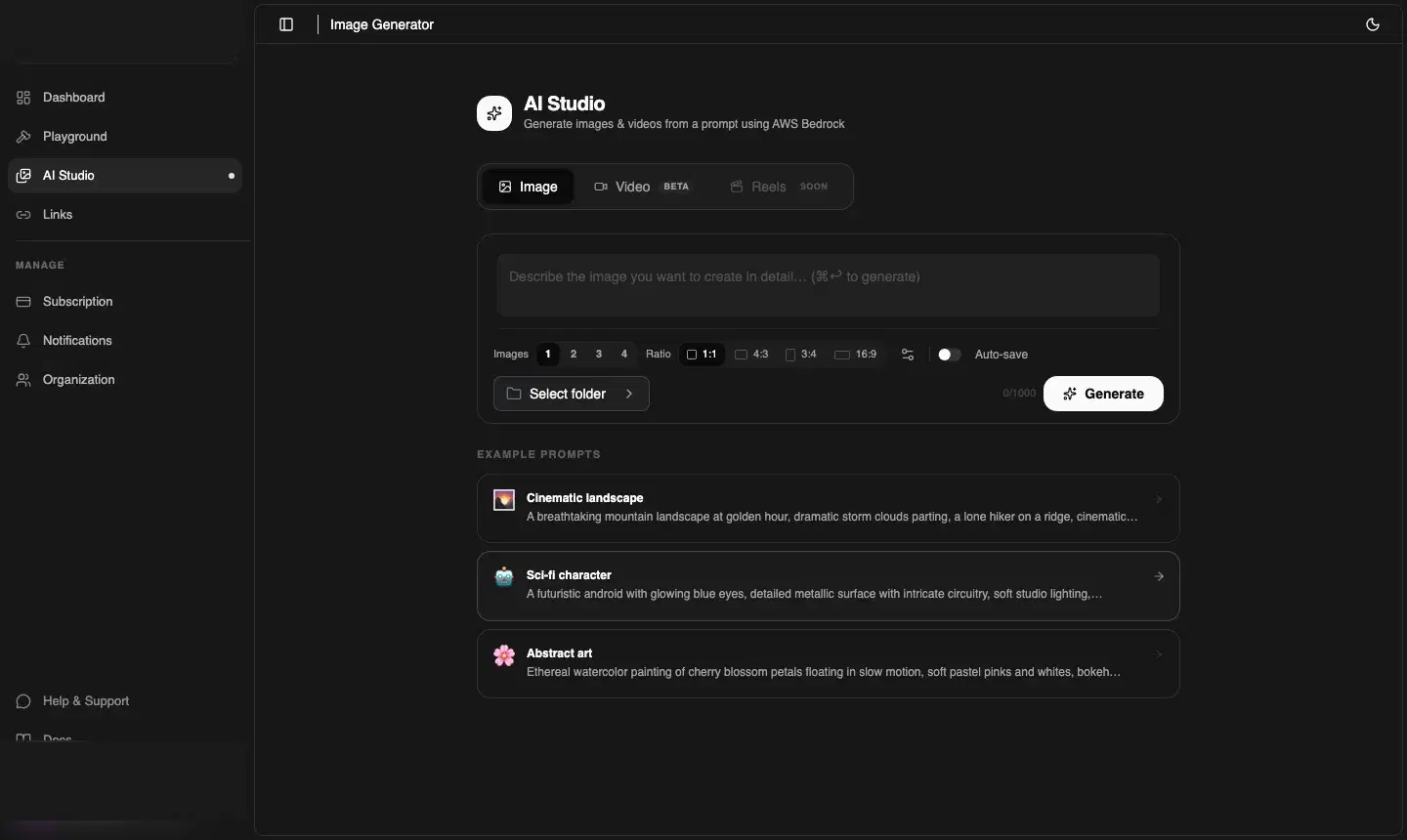
Tabs overview
| Tab | Status | What it does |
|---|---|---|
| Image | Available | Generate 1–4 images from a text prompt, choose aspect ratio, auto-save to Playground |
| Video | Beta | Generate short videos from a prompt — async job, polling for completion |
| Reels | Coming soon | Automated short-form vertical video with captions and transitions |
Generating images
- Click AI Studio in the sidebar — you land on the Image tab by default
- Type your prompt in the text area. Be specific — describe style, mood, colours, and subject
- Choose how many images: 1, 2, 3, or 4
- Select an aspect ratio: 1:1 (square), 4:3, 3:4, or 16:9 (landscape)
- Toggle Auto-save to automatically save every generated image to your Playground
- Optionally pick a target folder with Select folder
- Click Generate
ℹ️ Credit cost
Example prompts
Cinematic landscape
"A breathtaking mountain landscape at golden hour, dramatic storm clouds parting, a lone hiker on a ridge, cinematic lighting, 16:9, photorealistic"
SaaS hero image
"Minimalist SaaS dashboard hero, dark mode, violet gradient accent, clean modern UI, 16:9"
Product photo
"White wireless headphones on a clean white studio background, soft shadows, high resolution product photography"
Abstract art
"Ethereal watercolour painting of cherry blossom petals floating in slow motion, soft pastel pinks and whites, bokeh background"
Generating videos (Beta)
Click the Video tab. Video generation is an asynchronous job — you submit the prompt and CDNZero processes it in the background. The job typically completes in 30 seconds to 3 minutes depending on queue depth.
⚠️ Credit cost for video
Auto-save and the Playground
When Auto-save is on, every generated asset is saved directly to your chosen Playground folder and immediately served from the CDN. You can then copy the CDN URL from the Playground or create a signed link.
API: Generate an image
curl -X POST https://api.cdnzero.com/ai-image/generate-image \
  -H "Authorization: Bearer YOUR_ACCESS_KEY" \
  -H "Content-Type: application/json" \
  -d '{
    "prompt": "Minimalist SaaS hero, dark violet gradient, clean UI",
    "number_of_images": 2,
    "save_all": true,
    "folder_id": "col_abc123"
  }'