Dashboard
Access & API Keys
Manage programmatic access to your CDNZero organisation.
app.cdnzero.com
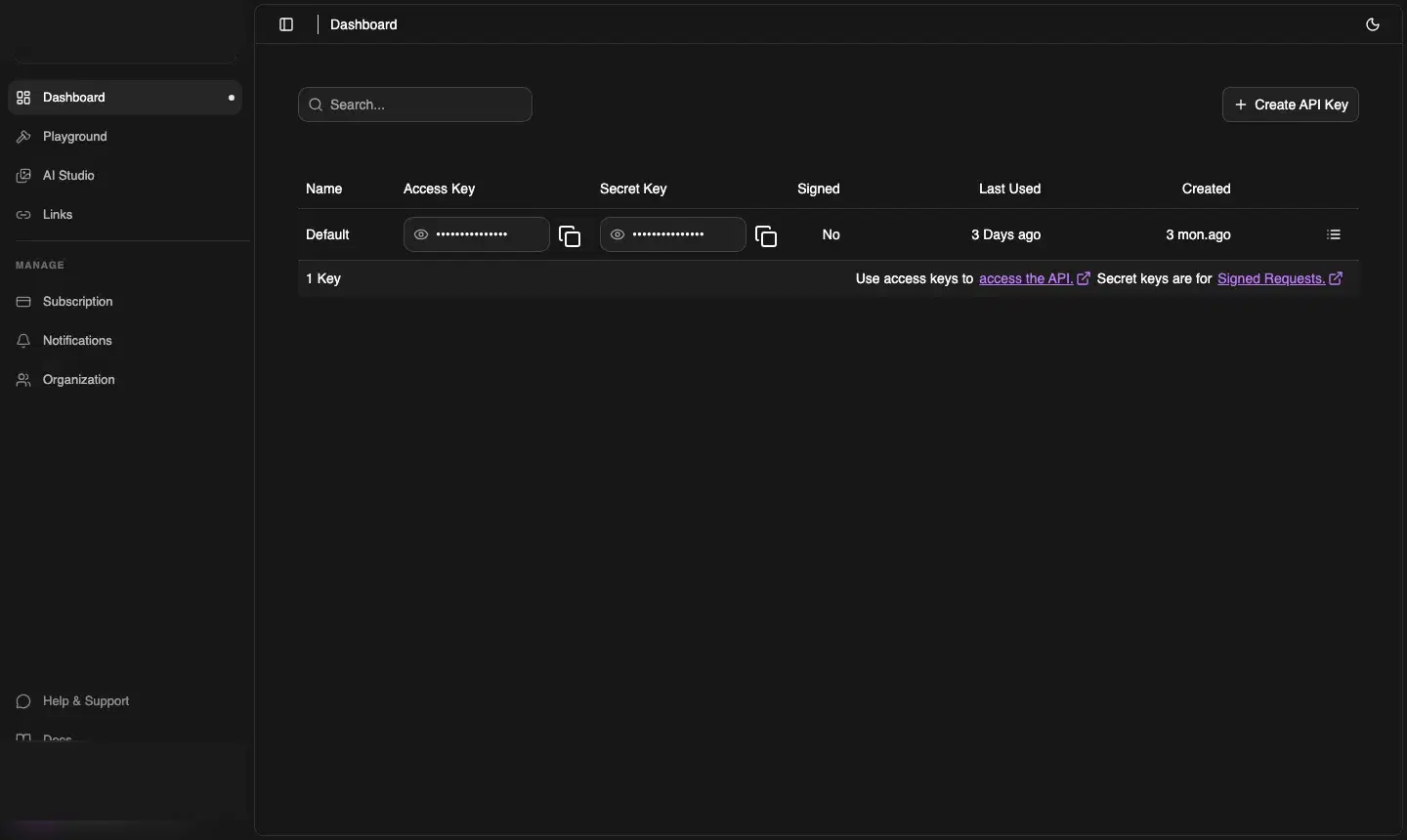
Two key types
Each API key pair has two parts:
| Key | Use for |
|---|---|
| Access Key | Authenticating all API requests — pass as Authorization: Bearer <key> |
| Secret Key | Generating Signed Requests — used server-side to sign temporary access URLs for private files |
Creating a key
- Navigate to Dashboard → Access
- Click + Create API Key
- Give it a descriptive name (e.g. production-server, ci-deploy)
- Click Create
- Copy both the Access Key and Secret Key — they are shown in full only once
⚠️ One-time visibility
Once you close the creation dialog, the keys are masked. If you lose them, revoke the key and create a new one.
Using the Access Key
Authorization: Bearer cdnz_live_xxxxxxxxxxxxxxxx
Revoking a key
Click the ⋯ icon at the end of any key row and select Delete. Revocation is instant — all active requests using that key will fail immediately.
Best practices
- Create a separate key per environment (dev, staging, production)
- Store keys in environment variables, never in source code
- Rotate keys every 90 days as a security hygiene measure
- Revoke unused keys — the Access page shows Last Used so you can identify stale keys