Playground
Upload, organise, and serve your files from CDNZero's global edge network.
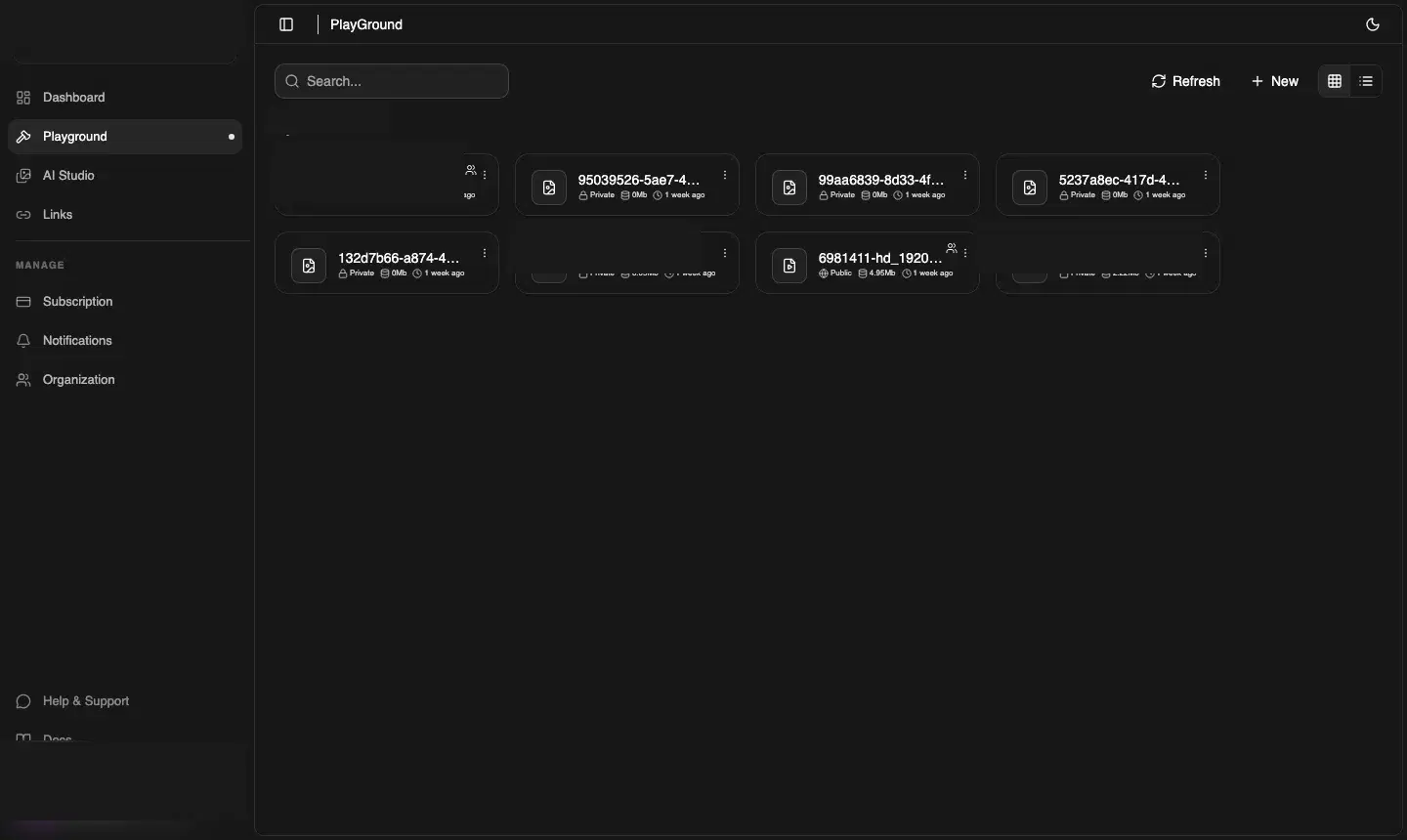
What is the Playground?
The Playground is a visual file manager for everything you've uploaded to CDNZero. Every file is automatically cached across 200+ edge locations the moment the upload completes.
Creating folders
Click New → New Folder in the top-right corner. Give it a name and choose visibility:
- Public — files inside are accessible via a direct CDN URL with no authentication
- Private — files inside require a signed URL to access
Folders can be nested — click into any folder and use New → New Folder again to create a sub-folder.
Uploading files
Click New → Upload File, then drag a file onto the drop zone or click to browse. CDNZero automatically splits large files into 5 MB chunks for reliable transfers — the progress bar reflects each chunk.
File actions
Click the ⋯ menu on any file to:
- Copy CDN URL — instant copy of the public delivery URL
- Create Signed Link — generates a time-limited URL for private files
- Download — fetches a download link and triggers a browser download
- Rename / Update — change the name or toggle between Public and Private
- Delete — permanently removes the file from storage and CDN cache
View modes
Toggle between Grid and List view with the icons in the top-right. Grid mode shows file type icons and metadata; List mode shows a table with filename, size, and timestamp — useful for large collections.
Search
Use the search bar at the top to filter files and folders by name within the current directory.
Uploading via API
Prefer code? Use the three-step chunked upload API:
curl -X POST https://api.cdnzero.com/collections/upload/file \
  -H "Authorization: Bearer YOUR_ACCESS_KEY" \
-d '{"name":"photo.jpg","visibility":"Public","size":204800,"file_type":"image"}'curl -X POST https://api.cdnzero.com/collections/upload/file-progress \
-H "Authorization: Bearer YOUR_ACCESS_KEY" \
-d '{"body":"<base64>","bucket":"...","key":"...","uploadId":"...","fileId":"...","partNumber":1}'curl -X POST https://api.cdnzero.com/collections/upload/complete-upload \
-H "Authorization: Bearer YOUR_ACCESS_KEY" \
-d '{"file_id":"file_xyz"}'